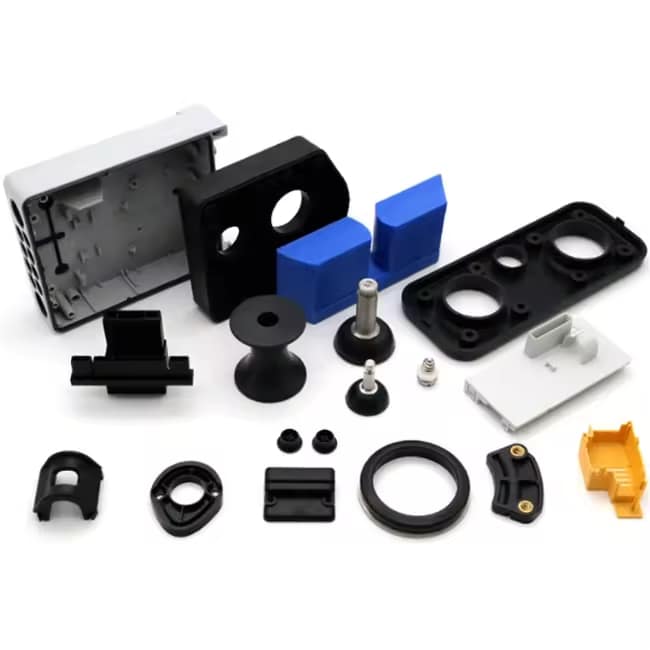
The 3d printer extruder is arguably the most critical mechanical component in any FDM printer. It is responsible for feeding filament into the hot end at a precise, consistent rate, directly determining print quality, material compatibility, and maximum print speed. Whether you are building your first printer, troubleshooting inconsistent extrusion, or planning an upgrade, understanding how extruders work is essential knowledge.
What Is a 3D Printer Extruder
In FDM 3D printing, the extruder assembly performs two primary functions: gripping the filament and pushing it through the hot end at a controlled rate. The term “extruder” can refer to the entire assembly (cold end + hot end) or specifically to the cold end section that feeds filament. In this guide, we use the broader definition covering the complete extrusion system.
Direct Drive vs Bowden Extruders
The first major decision in any extruder setup is the drive configuration. Both systems have passionate advocates and specific strengths.
| الميزة | Direct Drive | Bowden |
|---|---|---|
| Motor Location | Mounted directly on print head | Mounted on printer frame |
| Filament Path | Short (~40-60mm) | Long (300-800mm via PTFE tube) |
| Retraction Control | Excellent, short retractions | Requires longer retractions |
| سرعة الطباعة | Limited by moving mass | Faster, less moving mass |
| Flexible Filaments | Excellent for TPU and flexibles | Challenging, filament buckling |
Direct drive excels with flexible filaments and precise retraction control, making it the preferred choice for TPU, advanced PLA formulations, and print quality-focused setups. Bowden systems reduce the moving mass of the print head, allowing faster print speeds and less ringing on tall prints, but struggle with flexible materials due to filament compression in the long PTFE tube.

Key Components of a 3D Printer Extruder
Every extruder assembly contains several critical components that must work together precisely:
- Stepper motor — Typically a NEMA 17 motor providing 40-60 Ncm of torque. Higher torque motors (e.g., 0.9-degree steppers) offer finer extrusion control at the cost of reduced maximum speed
- Drive gear (hobbed gear) — The toothed wheel that grips and feeds filament. Single-drive gears use a bearing opposite the gear; dual-drive gears grip filament from both sides, reducing slippage with soft materials
- Idler tension mechanism — A spring-loaded bearing that presses filament against the drive gear. Tension must be carefully adjusted: too loose causes skipping, too tight deforms filament and increases motor load
- Filament guide path — A precisely machined channel that aligns filament with the drive gear and hot end inlet. Any misalignment causes inconsistent feeding
- Hot end (heat break, heater block, nozzle) — The heated section where filament melts. All-metal hot ends handle higher temperatures (up to 300°C+) for engineering materials; PTFE-lined hot ends are limited to approximately 240°C but offer smoother filament flow

Hot End vs Cold End
The extruder is divided into two thermal zones separated by the heat break. The cold end stays cool (maintains filament rigidity for controlled feeding) while the hot end melts filament for deposition. The heat break (throat) provides the thermal barrier between these zones and is one of the most underrated components in print quality. A poorly designed heat break allows heat creep, where heat travels upward and softens filament prematurely, causing jams that are notoriously frustrating to clear.
Single vs Dual Gear Extruders
Dual-gear extruders grip filament from both sides, distributing drive force more evenly. This configuration offers more consistent feeding, less filament deformation, and reduced risk of grinding soft materials. For PLA+ and other modified filaments that may be slightly softer than standard PLA, dual-gear extruders provide more reliable printing with fewer skipped steps.
Why Choose Nylon Plastic for Your 3D Printing and Engineering Plastic Needs
With over 10 years of experience in engineering plastics, Nylon Plastic supplies high-performance materials to B2B clients worldwide. Our product range covers nylon (PA6, PA66, PA12), POM, PEEK, and 3D printing filaments including PLA, PLA+, and PETG. Every batch is tested for diameter tolerance (±0.03mm), moisture content, and mechanical properties before shipping.
- ISO 9001 certified manufacturing facilities
- Bulk supply with competitive B2B pricing
- Technical support for material selection and printing parameters
- Fast global shipping from multiple warehouses
- Custom material formulation available for OEM projects
Related Reading
- How to Choose the Right 3D Printer Extruder
- PLA Filament Troubleshooting
- 3D Printing Materials Comparison
الأسئلة الشائعة
What causes the extruder to click or skip during printing?
Extruder clicking usually indicates that the drive gear is losing grip on the filament. Common causes include nozzle temperature too low (filament not melting fast enough), printing too fast (exceeding hot end flow capacity), nozzle too close to bed (back-pressure on first layer), a partial clog in the nozzle, or excessive idler tension deforming the filament. Diagnose by reducing print speed by 25% and increasing temperature by 10°C. If clicking stops, you were exceeding your hot end melt capacity.
Do I need to upgrade my extruder for PLA+ filament?
Most standard extruders handle PLA+ without issues. PLA+ extrudes at only 5-15°C higher than standard PLA, well within the capability of stock hardware. However, if your printer uses a PTFE-lined hot end, ensure the PTFE tube is in good condition (degradation above 240°C can cause off-gassing and blockages). An all-metal hot end is safer for any filament printed near or above 230°C.
How often should I clean or maintain my 3D printer extruder?
Clean the drive gear every 200-300 print hours or whenever you switch between abrasive and non-abrasive filaments. Inspect the PTFE tube inside the hot end every 500 hours and replace if discolored or deformed. Perform a cold pull (atomic pull) to clear nozzle buildup whenever you notice inconsistent extrusion or unusual patterns on print walls. Lubricate the idler bearing annually with light machine oil.
What is the best dual-extruder setup for multi-material PLA printing?
For PLA multi-material printing, independent dual extruder (IDEX) systems or tool-changer architectures provide the best results. IDEX allows two independent print heads on separate axes with distinct nozzles and hot ends, each optimized for their specific material. Single-nozzle multi-material systems (such as multi-material units or MMU) introduce purge blocks and color bleeding that waste material. For combining PLA with soluble support materials like PVA, dual-nozzle systems are strongly recommended.