
Support removal can make or break a print. Done wrong, it damages surfaces and destroys details. This guide covers techniques for every support type to achieve clean, damage-free results.
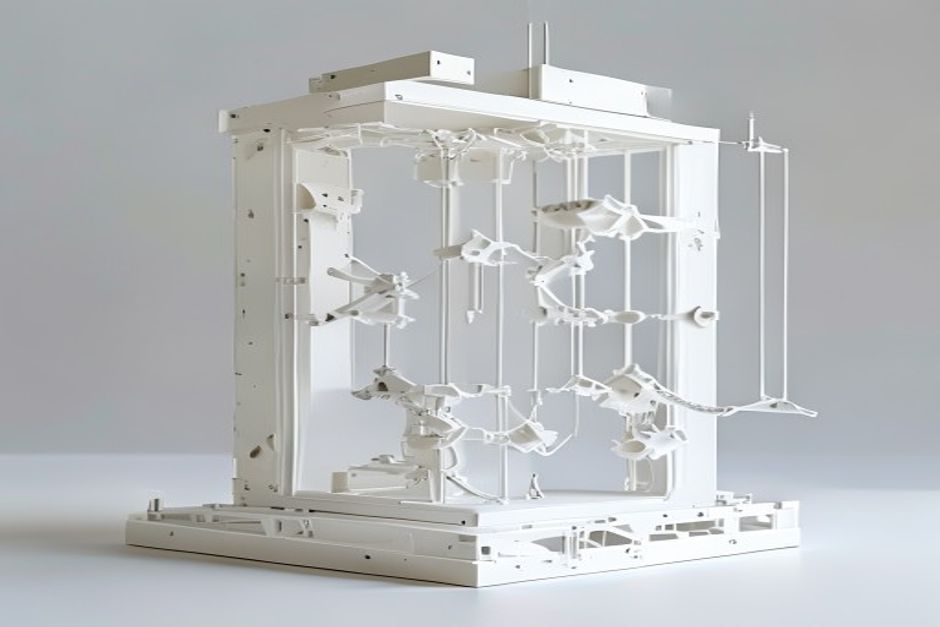
Support Types Overview
Traditional Linear Supports
Standard grid-based supports:
Vorteile:
- Universal compatibility
- Predictable behavior
- Easy to configure
Nachteile:
- Difficult removal on some geometries
- Surface scarring possible
- Waste material
Tree Supports
Organic, branching structures:
Vorteile:
- Less material usage
- Easier removal
- Reduced surface contact
Nachteile:
- Requires specific slicer support
- Longer slice time
- Less predictable
Production prints often benefit from tree supports.
Dissolvable Supports
PVA or HIPS secondary material:
Vorteile:
- Complete removal
- Complex geometry support
- Minimal surface damage
Nachteile:
- Requires dual extrusion
- Higher cost
- Dissolution time required

Removal Techniques
Traditional Supports
Tools needed:
- Needle-nose pliers
- Flush cutters
- Deburring tool
- Patience
Technique:
1. Wait for complete cooling (2+ hours ideal)
2. Start at edges and corners
3. Pull in direction away from model
4. Use tools for stubborn sections
5. Final cleanup with deburring tool
Tree Supports
Advantages of tree supports:
- Snap off in sections
- Less force required
- Contact points smaller
Removal:
1. Identify main trunk connections
2. Twist and pull gently
3. Work from bottom up
4. Final cleanup minimal
Flexible materials require gentler support removal.
Dissolvable Supports
PVA removal:
- Submerge in warm water (40-60°C)
- Agitate periodically
- Change water if saturated
- Time: 2-24 hours depending on volume
HIPS removal:
- Use d-Limonene solvent
- Follow safety precautions
- Ventilation required
- Time: 4-12 hours typically

Slicer Settings for Easy Removal
Support Interface
| Einstellung | Easy Removal | Clean Surface |
|---|---|---|
| Interface density | Niedrig | Hoch |
| Interface layers | 1-2 | 3-4 |
| Z distance | 0.2mm | 0.1mm |
| XY distance | 0.7mm | 0.5mm |
Support Density
| Dichte | Am besten für |
|---|---|
| 10-15% | Easy removal priority |
| 15-20% | Balanced |
| 20-30% | Overhangs priority |
Preventing Damage
Common Causes of Damage:
1. Too low Z distance — Supports bond to model
2. Insufficient cooling — Supports fuse to surfaces
3. Wrong pattern — Entangled supports
4. Rushing removal — Force breaks model
Solutions:
- Increase Z offset 0.05mm at a time
- Ensure adequate cooling
- Match pattern to geometry
- Allow full cooling before removal
Post-Removal Cleanup
Surface Treatment
Light scarring:
- Heat gun briefly (careful!)
- Fine sandpaper (400-600 grit)
- Fill with matching material
Severe damage:
- Sand and epoxy fill
- Consider reprint
- Adjust settings for next attempt
ABS prints can be smoothed with acetone after support removal.
 English
 Dutch
Dutch German
 French
 Korean
 Russian
 Japanese
 Spanish
 Vietnamese
 Chinese
 Portuguese
 Arabic