
A remoção de suportes pode fazer ou desfazer uma impressão. Se for mal feita, danifica as superfícies e destrói os detalhes. Este guia abrange técnicas para cada tipo de suporte para obter resultados limpos e sem danos.
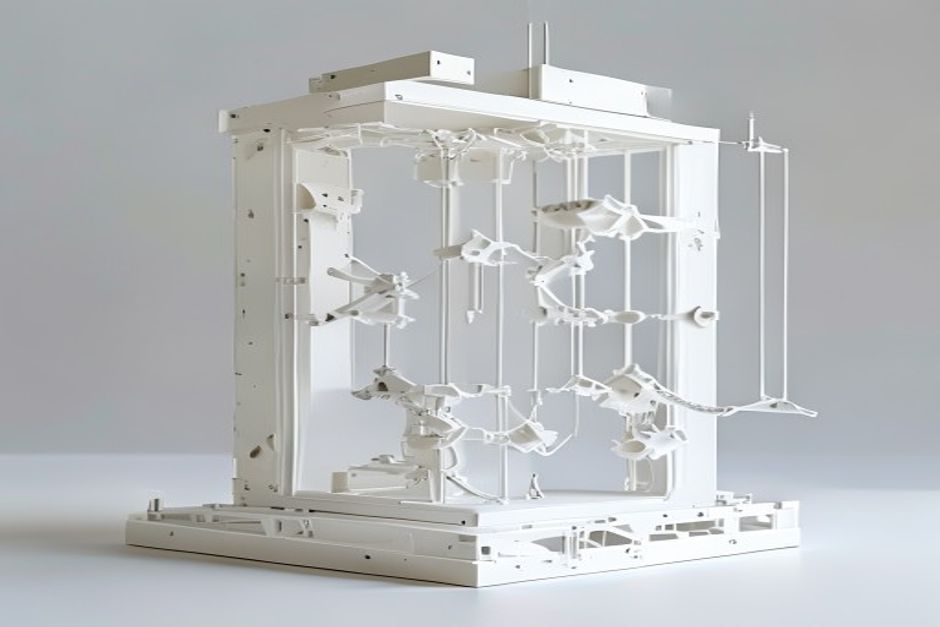
Visão geral dos tipos de suporte
Suportes lineares tradicionais
Suportes standard baseados em grelha:
Prós:
- Compatibilidade universal
- Comportamento previsível
- Fácil de configurar
Contras:
- Remoção difícil em algumas geometrias
- Possibilidade de cicatrização da superfície
- Resíduos
Suportes de árvores
Estruturas orgânicas e ramificadas:
Prós:
- Menor utilização de material
- Remoção mais fácil
- Contacto superficial reduzido
Contras:
- Requer suporte específico do fatiador
- Tempo de corte mais longo
- Menos previsível
Impressões de produção beneficiam frequentemente de suportes arbóreos.
Suportes dissolvíveis
Material secundário PVA ou HIPS:
Prós:
- Remoção completa
- Suporte de geometria complexa
- Danos mínimos na superfície
Contras:
- Requer extrusão dupla
- Custo mais elevado
- Tempo de dissolução necessário

Técnicas de remoção
Apoios tradicionais
Ferramentas necessárias:
- Alicate de pontas
- Fresas de corte à face
- Ferramenta de rebarbamento
- Paciência
Técnica:
1. Aguardar o arrefecimento completo (o ideal é mais de 2 horas)
2. Começar pelas arestas e cantos
3. Puxar na direção oposta à do modelo
4. Utilizar ferramentas para as secções mais difíceis
5. Limpeza final com ferramenta de rebarbação
Suportes de árvores
Vantagens dos suportes de árvores:
- Corte em secções
- Menos força necessária
- Pontos de contacto mais pequenos
Remoção:
1. Identificar as principais ligações do tronco
2. Torcer e puxar suavemente
3. Trabalhar de baixo para cima
4. Limpeza final mínima
Materiais flexíveis requerem uma remoção mais suave do suporte.
Suportes dissolvíveis
Remoção do PVA:
- Submergir em água morna (40-60°C)
- Agitar periodicamente
- Mudar a água se estiver saturada
- Tempo: 2-24 horas, dependendo do volume
Remoção de HIPS:
- Utilizar o solvente d-Limonene
- Respeitar as precauções de segurança
- Ventilação necessária
- Tempo: 4-12 horas, normalmente

Definições do cortador para remoção fácil
Interface de suporte
| Definição | Remoção fácil | Superfície limpa |
|---|---|---|
| Densidade da interface | Baixa | Elevado |
| Camadas de interface | 1-2 | 3-4 |
| Distância Z | 0,2 mm | 0,1 mm |
| Distância XY | 0,7 mm | 0,5 mm |
Densidade de apoio
| Densidade | Melhor para |
|---|---|
| 10-15% | Prioridade de remoção fácil |
| 15-20% | Equilibrado |
| 20-30% | Prioridade às saliências |
Prevenção de danos
Causas comuns de danos:
1. Distância Z demasiado baixa - Apoia a ligação ao modelo
2. Arrefecimento insuficiente - Suportes que se fundem com superfícies
3. Padrão incorreto - Suportes emaranhados
4. Remoção apressada - Modelo de quebra de força
Soluções:
- Aumentar o desvio Z 0,05 mm de cada vez
- Assegurar um arrefecimento adequado
- Fazer corresponder o padrão à geometria
- Deixar arrefecer completamente antes de retirar
Limpeza pós-remoção
Tratamento de superfície
Cicatrizes ligeiras:
- Pistola de calor por breves instantes (cuidado!)
- Lixa fina (grão 400-600)
- Preencher com material adequado
Danos graves:
- Areia e enchimento epóxi
- Considerar a reimpressão
- Ajustar as definições para a tentativa seguinte
Impressões em ABS pode ser alisado com acetona após a remoção do suporte.
 English
 Dutch
Dutch German
 French
 Korean
 Russian
 Japanese
 Spanish
 Vietnamese
 Chinese
 Portuguese
 Arabic